



.svg)
.svg)
.svg)
How to Avoid Dine-and-Dashes and ‘No Shows’
How to Avoid Dine-and-Dashes and ‘No Shows’
A restaurant can never predict who will dine-and-dash just by looking at them. Furthermore, ‘no shows’ are problematic for restaurants that might have turned away guests at the door because the reservation shows that it’s full, only to have tables remain empty due to ‘no shows’.
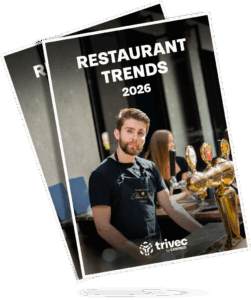
This article is taken from a downloadable white paper on the 8 restaurant trends not to be missed in 2026.
Here are some tips on how to avoid dine-and-dashes and ‘no shows’
Through the pos system, the restaurant can ask for invoice details and email address in advance to create an invoice basis. If the customer or guest is not in the pos system, they are considered a new customer, and the staff must enter the customer’s details in order to invoice them. From a security standpoint, this moves the approval process to before the purchase. By collecting invoice details in advance, the payment process is simplified when guests pay; you have information about the customer and invoice directly from the pos system with a few clicks. The ability to create the invoice from the pos in Fortnox, down to the product level, is a bonus.
There is both the possibility of a summary invoice and a direct invoice. The most common practice among our customers is to use a summary invoice. Then, for example, you can add rental costs in Fortnox. This is not possible with a direct invoice since it is finalized. If working with a summary invoice, several orders (e.g., multiple purchases on different days at a conference) are created in Fortnox when closing the customer’s tabs in the pos. In Fortnox, you then choose to finalize the orders and convert them into a summary invoice, which is sent from Fortnox once the guests have left. If working with a direct invoice, the invoice is created directly in Fortnox when it is finalized against the customer in the pos. It is then sent from Fortnox. You can also choose to have invoices sent automatically from Fortnox.
When making a reservation through the restaurant’s website and using Waiteraid guest reservation system, guests can be prompted to fill in a form to add a credit card as security for the selected seating. Restaurants have full flexibility to use this feature as needed, for example, during dinner sittings or for special occasions and specially composed menus. It is then easy for the restaurant to see who has booked and (if the restaurant has informed the customer in advance) a fee can be charged if the guests do not show up. In Waiteraid you save the guest’s card details in their profile, making it easier to book since the guest does not need to enter their information every time they make a new reservation. You can also see the history of the customers’ reservations, no shows and consumptions and toggle conditions on or off for the specific customer. There is also the option to charge the customer from the POS directly through Waiteraid if they leave or no physical card was present at the time of visit.
Table reservation Systems
Many table reservation systems have set up some rules for those booking tables. It could be that the guest receives an SMS a few hour before dinner that they must be present at least 15 minutes after the booked time, otherwise, they lose the table. Other rules could be that guests receive a SMS or an email about the importance of canceling at least 5 hours before a dinner sitting.
This way, you avoid not knowing anything about the guests who book.
Grow your restaurant with Trivec by Caspeco
Running a restaurant is complex – but your technology doesn’t have to be. With Trivec by Caspeco you get an all-in-one solution where your POS is at the heart of a complete restaurant system. Everything works together seamlessly – in one platform.
🔗 Connect your POS with:
✔️ Table reservations
✔️ Staff scheduling and workforce management
✔️ Loyalty, inventory, financial systems and much more
💡 Scalable for growth : whether you’re opening a new location or expanding your team, our solution grows with you and helps you stay in control such as:
✔️ Stationary and mobile POS
✔️Handheld POS for ordering and payment
✔️ Self service kiosks, QR ordering and much more

Noema – how they save time and money – Trivec’s POS system and Caspeco Staff system
New staff enjoy working with Trivec’s POS system because it’s so easy to learn and helps them get up to speed quickly. At Noema, they work with Trivec and Caspeoca Staff system a complete solution keeping track of sales as well as staff schedules. For X one of the owners of Noema, this set up has become a competitive advantage. Read more about Noema here.
- Noema
Kontakt os
Når du har udfyldt dine oplysninger, vil du blive kontaktet af en af vores dygtige eksperter som vil fortælle dig mere om vores produkter og vise, hvordan de fungerer i praksis.